Rich has become a popular (20K starts on GH) way of beautifying CLIs, and I'm pleased to see a number of projects using it.
Since Rich is mature and battle-tested now, I had considered winding-down development. Until, I saw this tweet:
The Tweet
Do you want to see something really cool you can do with @willmcgugan 's rich library?
— Hamel Husain (@HamelHusain) February 5, 2021
Checkout ghtop https://t.co/mn7oLbpw8e. It's a really fun CLI tool that demonstrates the power of rich (and other things).
Examples below 🧵👇 (1/8)
@HamelHusain and @jeremyphoward used Rich to enhance ghtop (a repos owned by CEO of Github, no less). Ghtop shows a realtime a stream of events from the Github platform. And it looks good! So good that I realised how much potential Rich has for these type of htop-like applications.
Hamel and Jeremy had to overcome a few technical hurdles to make that work. Fortunately this will no longer be required as the latest version of Rich has first-class support for full-screen interfaces via a new Layout system.
Full-screen terminal interface
Here's a video demonstration of a terminal interface built with Layout:
Layout API
The API to create a flexible layout is surprisingly simple. You construct a Layout() object, then call split() to create sub-layouts. These sub-layouts may then be further divided. Layouts have a small number of settings which define their size relative to the terminal window. It's a simple system that can create terminal interfaces that almost resemble modern web apps.
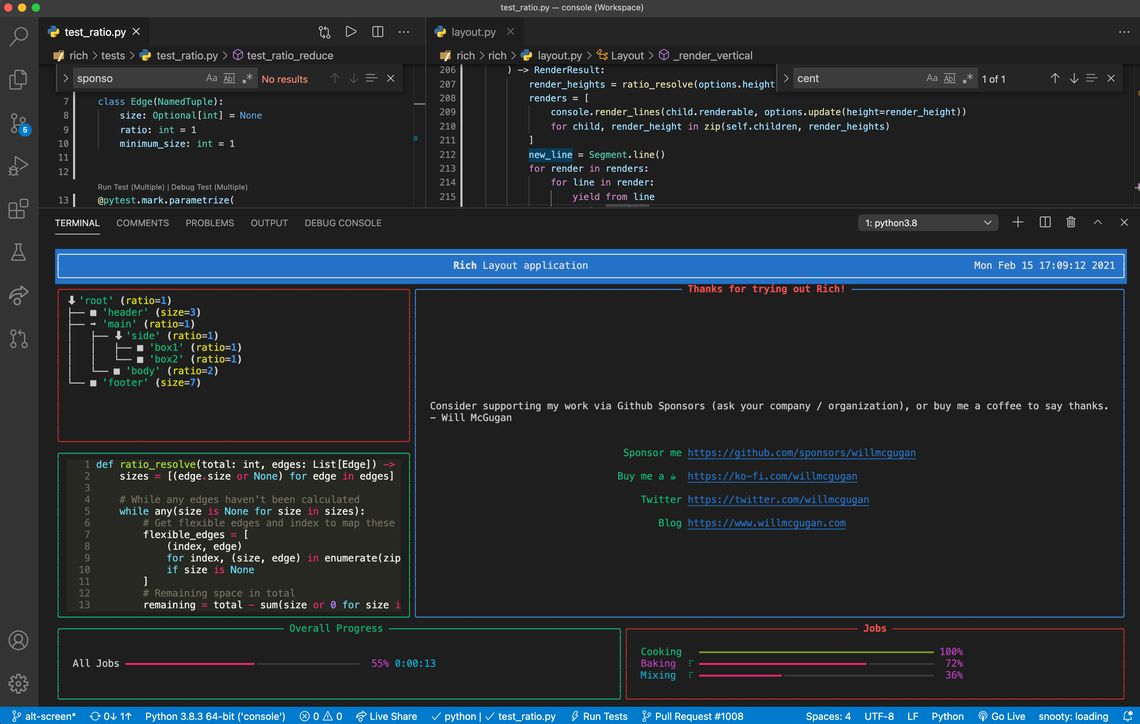
A Rich layout in VSCode
Finally, some code
Here's how you would create a basic layout with a header, a footer, and two side-panels.
from rich.console import Console
from rich.panel import Panel

console = Console()
layout = Layout()

# Divide the "screen" in to three parts
layout.split(
    Layout(name="header", size=3),
    Layout(ratio=1, name="main"),
    Layout(size=10, name="footer"),
)
# Divide the "main" layout in to "side" and "body"
layout["main"].split(
    Layout(name="side"),
    Layout(name="body", ratio=2),
    direction="horizontal"
)
# Divide the "side" layout in to two
layout["side"].split(Layout(), Layout())

console.print(layout)
Running the code above produces the following output:
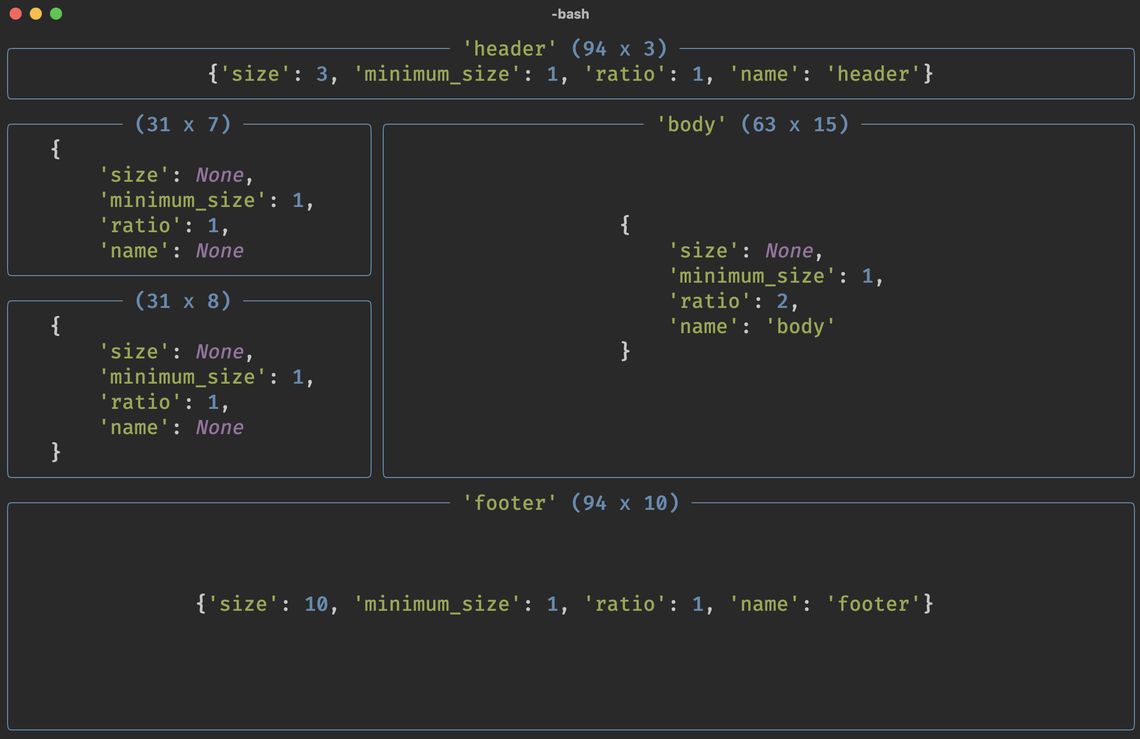
Terminal split in to 5 sub-layouts. The boxes are placeholders, you can insert any content in their place.
Any renderable (text, table, progress bars etc) may be placed inside those sub-layouts.
We can now use the Live class to create an application that adapts itself to the terminal window:
from rich.live import Live
from time import sleep

with Live(layout, screen=True):
    while True:
        sleep(1)
In a real app, that do-nothing loop will be doing something useful like pulling data from the network to update contents.
See the layout docs for an in-depth tutorial.
What's next?
I think it's clear that Rich is acquiring more TUI (text user interface) features, and I've decided not to fight it. Rich's core purpose is still to beautify CLI output, but I think there is an opportunity here for a new way to create terminal apps. Ultimately it will be less like curses and more like HTML in a browser.
There are a number of things to do before Rich could replace a full TUI library (keyboard and mouse input for one) but the potential is there. Stay tuned for progress.
Follow @willmcgugan for more Rich related news.
from Planet Python
via read more


No comments:
Post a Comment