In this essay I'll gives some examples of using chemfp on the command-line to search ChEMBL. Chemfp is a Python package for high-performance cheminformatics fingerprint similarity search. If you want to follow along you'll need to install chemfp and the RDKit toolkit.
A pre-compiled version of chemfp for Linux-based OS is available at no cost using the following command:
python -m pip install chemfp -i https://chemfp.com/packages/See the chemfp licensing page for licensing details.
Download ChEMBL 27 fingerprints
Quoting Wikipedia, ChEMBL is a manually curated chemical database of bioactive molecules with drug-like properties […] maintained by the European Bioinformatics Institute (EBI), of the European Molecular Biology Laboratory (EMBL), based at the Wellcome Trust Genome Campus, Hinxton, UK.
Their molecular structure data is available for bulk download, which also includes pre-computed RDKit Morgan fingerprints.
I'll use curl to download those fingerprints for the ChEMBL 27 release:
% curl -O 'ftp://ftp.ebi.ac.uk/pub/databases/chembl/ChEMBLdb/releases/chembl_27/chembl_27.fps.gz'
  % Total    % Received % Xferd  Average Speed   Time    Time     Time  Current
                                 Dload  Upload   Total   Spent    Left  Speed
100  107M  100  107M    0     0  7573k      0  0:00:14  0:00:14 --:--:-- 9323k
% ls -l chembl_27.fps.gz
-rw-r--r--  1 dalke  staff  112283688 Sep 15 15:34 chembl_27.fps.gz
FPS format
The FPS format is a simple text format designed to be easy to read and write. It contains a header section followed by fingerprint data. The header lines start with a "#" and contain metadata about the fingerprints. The fingerprint lines start with a hex-encoded fingerprint followed by a tab followed a fingerprint id. Here's what the first few lines of the ChEMBL 27 FPS file looks like:
% zcat chembl_27.fps.gz | head -8 | fold -w 76
#FPS1
#num_bits=2048
#type=RDKit-Morgan/1 radius=2 fpSize=2048 useFeatures=0 useChirality=0 useBo
ndTypes=1
#software=RDKit/2019.09.2
#source=chembl_27.fps.gz
#date=2020-05-18 15:43:14.060167
0008040000000000000000000000000000100000000000000000000000000000000000000000
0000000000800000000400000000000040000000010000000000000000000001000000000000
0000000000000000081000000000200000000000000000008000000000000000000888000000
0000800000000000100000000000000000000200000000000000000000020001080020400000
0000000000000500000002000100000000000000100000000200000000000000000000000000
0000000000800000000000200000000000000000010000000004000000000000000000000000
00000080000002000000000000000008000000000000000000000000        CHEMBL153534
0208000000020000008003000000300000108100002000002200004008000400000000084000
000000000080040000050004000000000040004000000400000000000800020000b000000000
0000030000040000000102000002700009008008000004408000000000000200000800040000
004088000002000004200000022c100000000200000000004844000000020180084000000010
000000000000000080040400002000000000000010000a000000000001101004000500000000
008400014010800000000000a500020400000000002900008800000001490000000200000080
20008002020082000004802040804000800000000000100001800000        CHEMBL440060
(Note: on some OSes you may need to use "gzcat" instead of "zcat".)
The header data shows that are 2048-bit RDKit Morgan fingerprints with radius 2, which is comparable to ECFP4. I used "fold" to add newlines so the output would fit this blog post a bit better; in the real FPS file the "#type" data is on one line, as are each of the fingerprint records.
How to make the fingerprints yourself
As an aside, you can use chemfp's rdkit2fps to generate these fingerprints yourself from the ChEMBL 27 SDF:
curl -O 'ftp://ftp.ebi.ac.uk/pub/databases/chembl/ChEMBLdb/releases/chembl_27/chembl_27.sdf.gz'
rdkit2fps --morgan chembl_27.sdf.gz -o chembl_27.fps.gz
This will take rather longer than downloading the fingerprints directly.
Search ChEMBL fingerprints
I'll use chemfp's "simsearch" command to search the ChEMBL data set for structures similary to caffeine, by specifying the caffeine structure as a SMILES string on the command-line:
% simsearch --query 'CN1C=NC2=C1C(=O)N(C(=O)N2C)C' chembl_27.fps.gz
#Simsearch/1
#num_bits=2048
#type=Tanimoto k=3 threshold=0.7
#software=chemfp/3.4
#targets=chembl_27.fps.gz
#target_source=chembl_27.fps.gz
2       Query1  CHEMBL113       1.00000 CHEMBL1232048   0.70968
You can see the simsearch output has a similar structure to the FPS format: a header section with metadata and lines starting with '#', following by query results, one line per query.
There are only two matches because by default chemfp searches for the k=3 nearest neighbors with a similarity of at least 0.7.
How does it work? Simsearch first opens the target file ("chembl_27.fps.gz") to read the "type" field in the metadata. This describes the fingerprint type and all of its parameters. Chemfp uses this type string to figure out that it needs to used the RDKit toolkit to parse the input query into an RDKit molecule, which it then passes to RDKit's Morgan fingerprint generator function along with the appropriate parameters. The result is a fingerprint. Finally, chemfp uses this fingerprint as "scan" search of the FPS fingerprint records.
Note: if there is a single query then it's faster to search the FPS file directly. A scan search reads and tests each record in the file. If there are many searches then it's faster to first read the targets into memory and then do an in-memory search. The base chemfp license lets you search an FPS file of any size but does not allow an in-memory search of more than 50,000 fingerprints.
10-nearest neighbors
I'll use the -k option to have simsearch return the nearest 10 matches:
% simsearch --query 'CN1C=NC2=C1C(=O)N(C(=O)N2C)C' -k 10 chembl_27.fps.gz | fold
#Simsearch/1
#num_bits=2048
#type=Tanimoto k=10 threshold=0.0
#software=chemfp/3.4
#targets=chembl_27.fps.gz
#target_source=chembl_27.fps.gz
10      Query1  CHEMBL113       1.00000 CHEMBL1232048   0.70968 CHEMBL446784
0.67742 CHEMBL1738791   0.66667 CHEMBL2058173   0.66667 CHEMBL2058174   0.64706
CHEMBL417654    0.64706 CHEMBL286680    0.64706 CHEMBL1200569   0.64103 CHEMBL26
455     0.61765
By default the results of each query are on one line. (A future version of chemfp - likely 3.5 - will have an option to display one match per line.) That line is long, so I've folded it for display purposes.
For now, you'll need to reformat it manually. Here's one solution using an awk one-liner:
% simsearch --query 'CN1C=NC2=C1C(=O)N(C(=O)N2C)C' -k 10 chembl_27.fps.gz | \
?   awk '/^[^#]/{for(i=3; i<NF; i+=2) {print $2, $i, $(i+1)}}'
Query1 CHEMBL113 1.00000
Query1 CHEMBL1232048 0.70968
Query1 CHEMBL446784 0.67742
Query1 CHEMBL1738791 0.66667
Query1 CHEMBL2058173 0.66667
Query1 CHEMBL2058174 0.64706
Query1 CHEMBL417654 0.64706
Query1 CHEMBL286680 0.64706
Query1 CHEMBL1200569 0.64103
Query1 CHEMBL26455 0.61765
If you don't want a complicated one-liner, and do want fancier output, here's a Python program which converts the simsearch search results of ChEMBL fingerprints into an HTML table, with links to the ChEMBL report, as well as an image display of an SVG file from ChEMBL. I call it "chembl_simsearch_to_table.py" becomes sometimes creativity isn't worthwhile.
#!/usr/bin/env python
# chembl_simsearch_to_table.py

import sys
W = H = 80 # image size
cell_style = "border-color:black;border-style:solid;border-width:1px"
th_attrs = f"style=font-weight:bold;background-color:#f0f0f0;{cell_style}"
td_attrs = f"style={cell_style}"
print("<table style='border-collapse:collapse;border-spacing:0'>")
print(" <thead><tr><th {th_attrs}>id</th><th {th_attrs}>score</th><th {th_attrs>image</th></tr></thead>")
print(" <tbody>")

for line in sys.stdin:
    if line[:1] == "#":
        continue
    fields = line.rstrip("\n").split("\t")
    num_hits, query_id, *hits = fields
    for target_id, target_score in zip(hits[::2], hits[1::2]):
      report_url = f"https://www.ebi.ac.uk/chembl/compound_report_card/{target_id}/'"
      img_url = f"https://www.ebi.ac.uk/chembl/api/data/image/{target_id}.svg"
      print(
        "<tr>"
        f"<td {td_attrs}><a href='{report_url}'>{target_id}</a></td>"
        f"<td {td_attrs}>{target_score}</td>"
        f"<td {td_attrs}><a href='{report_url}'><img src='{img_url}' width={W} height={H}></a></td>"
        "</tr>")

print(" </tbody>")
print("</table>")
The HTML output from running:
simsearch --query 'CN1C=NC2=C1C(=O)N(C(=O)N2C)C' -k 10 chembl_27.fps.gz | \
    ./chembl_simsearch_to_table.py
is:
| id | score | image |
|---|---|---|
| CHEMBL113 | 1.00000 |  |
| CHEMBL1232048 | 0.70968 | 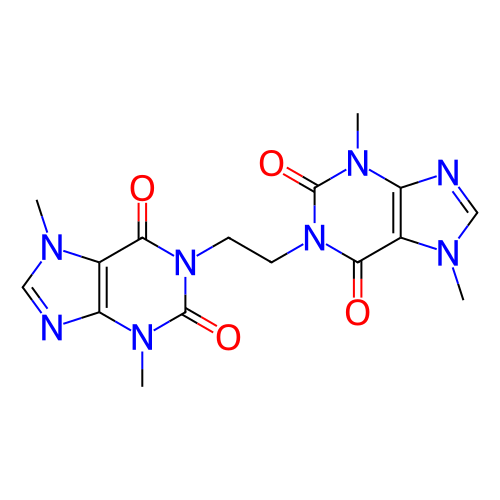 |
| CHEMBL446784 | 0.67742 | 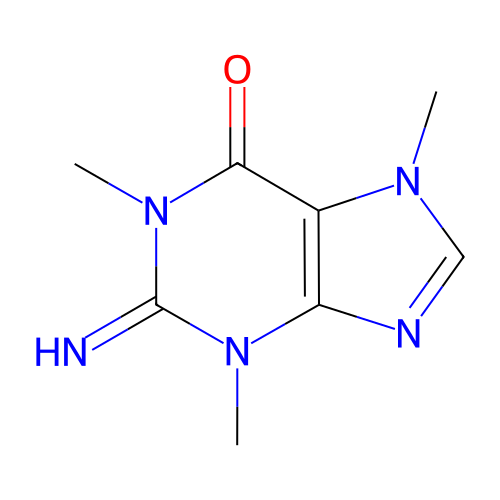 |
| CHEMBL1738791 | 0.66667 | 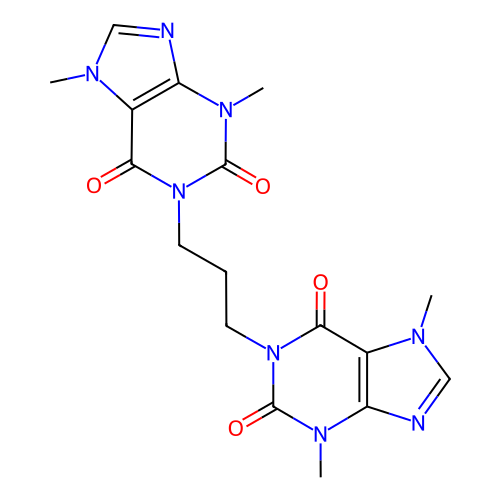 |
| CHEMBL2058173 | 0.66667 | 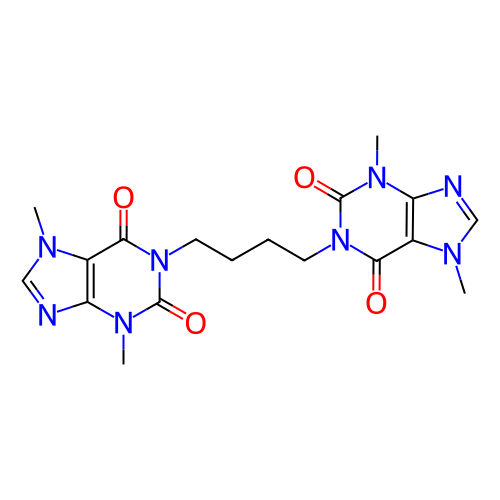 |
| CHEMBL2058174 | 0.64706 | 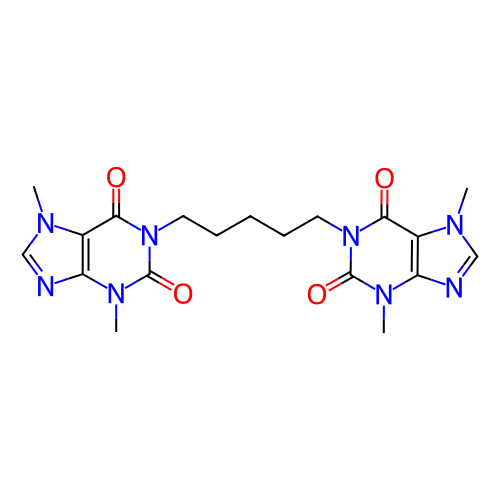 |
| CHEMBL417654 | 0.64706 | 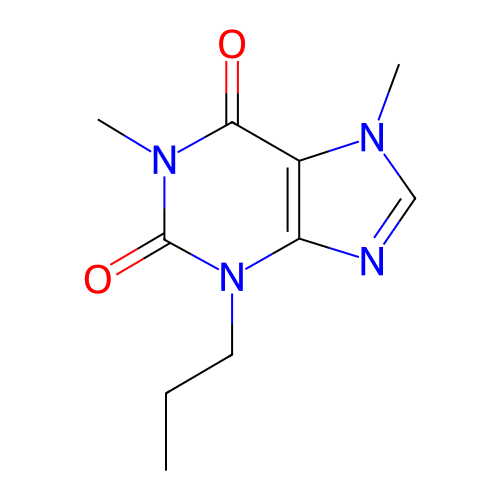 |
| CHEMBL286680 | 0.64706 | 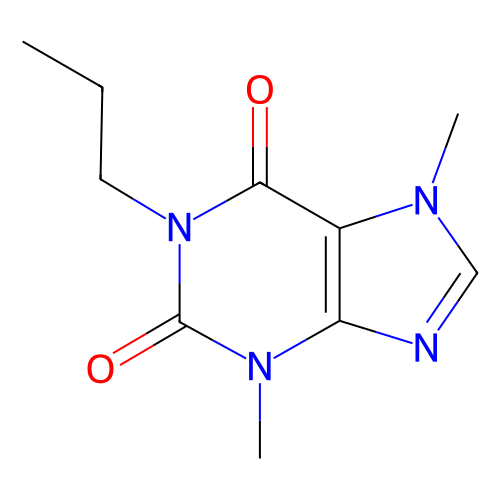 |
| CHEMBL1200569 | 0.64103 | 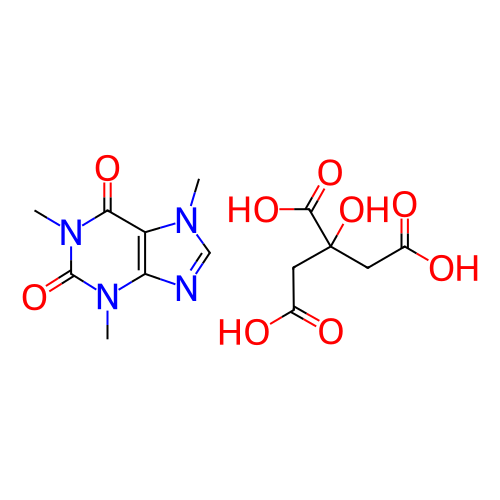 |
| CHEMBL26455 | 0.61765 | 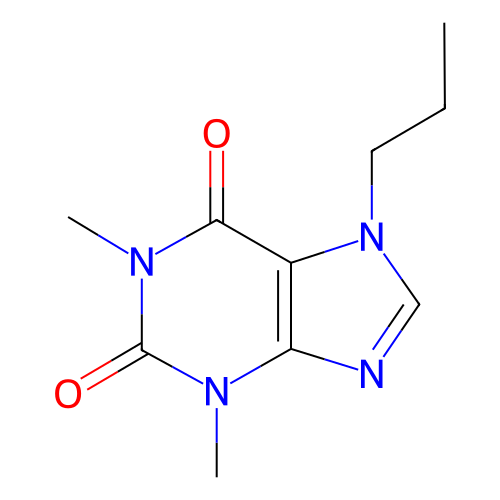 |
FPS search performance and compression
The above search takes about 3 seconds on my laptop. Use --times to have simsearch print timing information to stderr:
% simsearch --query 'CN1C=NC2=C1C(=O)N(C(=O)N2C)C' -k 10 chembl_27.fps.gz --times > /dev/null
open 0.00 read 0.00 search 3.08 output 0.00 total 3.08
Much of the time is from uncompressing the gzip file. Searching an uncompressed file is nearly twice as fast:
% simsearch --query 'CN1C=NC2=C1C(=O)N(C(=O)N2C)C' -k 10 chembl_27.fps --times > /dev/null
open 0.00 read 0.00 search 1.69 output 0.00 total 1.69
Searching a ZStandard compressed file with compression level "15" is a bit faster than using the gzip file:
% simsearch --query 'CN1C=NC2=C1C(=O)N(C(=O)N2C)C' -k 10 chembl_27.fps.zst --times > /dev/null
open 0.00 read 0.00 search 2.56 output 0.00 total 2.56
It's also smaller:
% ls -l chembl_27.fps*
-rw-r--r--  1 dalke  staff  1022483723 Sep 15 21:44 chembl_27.fps
-rw-r--r--  1 dalke  staff   112283688 Sep 15 15:34 chembl_27.fps.gz
-rw-r--r--  1 dalke  staff    88214557 Sep 15 21:58 chembl_27.fps.zst
(The default ZStandard level of "3" gives a file which is slightly larger than gzip "-9" compressed that comes from ChEMBL, and with the same search performance. Compression level 15 takes rather more time to compress than level 3.)
FPB search
The base chemfp license, which is the default when you install the pre-compiled chemfp 3.x package, lets you search FPS files of any size. Most of the search time is spent parsing the text file.
Chemfp 2.0 introduced the "FPB" file, which is a binary file which is more complicated than the FPS file but also much faster to load. It also supports the indexing needed for the BitBound algorithm, which improves search time.
I'll use fpcat to convert the FPS file to FPB format, then do the same timed search:
% fpcat chembl_27.fps.gz -o chembl_27.fpb
% simsearch --query 'CN1C=NC2=C1C(=O)N(C(=O)N2C)C' -k 10 chembl_27.fpb --times > /dev/null
open 0.00 read 0.00 search 0.28 output 0.00 total 0.29
% simsearch --query 'CN1C=NC2=C1C(=O)N(C(=O)N2C)C' -k 10 chembl_27.fpb --times > /dev/null
open 0.00 read 0.00 search 0.06 output 0.00 total 0.06
You read that right - once the file is in the disk cache, the search takes 60 milliseconds instead of 100 seconds! That's fast enough that you can easily include searches for million+ fingerprint data sets in command-line scripts.
Be aware that the base license does not let you use the FPB format. Alternative licensing options are available - contact me through that link for pricing.
query fingerprints instead of query structures
The examples so far used a chemical structure, expressed as a SMILES string, as the query. The query could be in another format, or come from a structure file. In either case, chemfp will use a cheminformatics toolkit in order to convert the structure into the right query fingerprint, and the fingerprint type must be one of the ones that chemfp supports.
If chemfp does not support the fingerprint type, you can still pass in the query as a hex-encoded string, either on the command-line, as in:
% simsearch chembl_27.fps.gz -k 3 --hex-query 0200000800020000008003004010a000009080000000000022000040200004000000000800000000020100000410000020000000000000400000000004010000000008000000002000000001008001000005000800000200100000000900000000200000c0000000200000000208004000000040800000000000a020000000081000000002000000010041040000200001000800008000100000000000000000001400000020000020200000100002000000000200080800000100000000000000000000200000008000850000040400000000080000000000024000000080000000000020000000000092000000802000000200000004000000000011000000
#Simsearch/1
#num_bits=2048
#type=Tanimoto k=3 threshold=0.0
#software=chemfp/3.4.1
#targets=chembl_27.fps.gz
#target_source=chembl_27.fps.gz
3       Query1  CHEMBL500076    1.00000 CHEMBL386114    0.81731 CHEMBL2332616   0.75229
Or you can pass in the queries in FPS format using the --queries option.
This means that you can use chemfp for similarity search without installing any chemistry toolkit at all.
from Planet Python
via read more


No comments:
Post a Comment