Wing Pro 7 introduced an array and data frame viewer that can be used to inspect data objects in the debugger. Values are transferred to the IDE according to what portion of the data is visible on the screen, so working with large data sets won't slow down the IDE.
The array viewer works with Pandas, numpy, sqlite3, xarray, Python's builtin lists, tuples, and dicts, and other classes that emulate lists, tuples, or dicts.
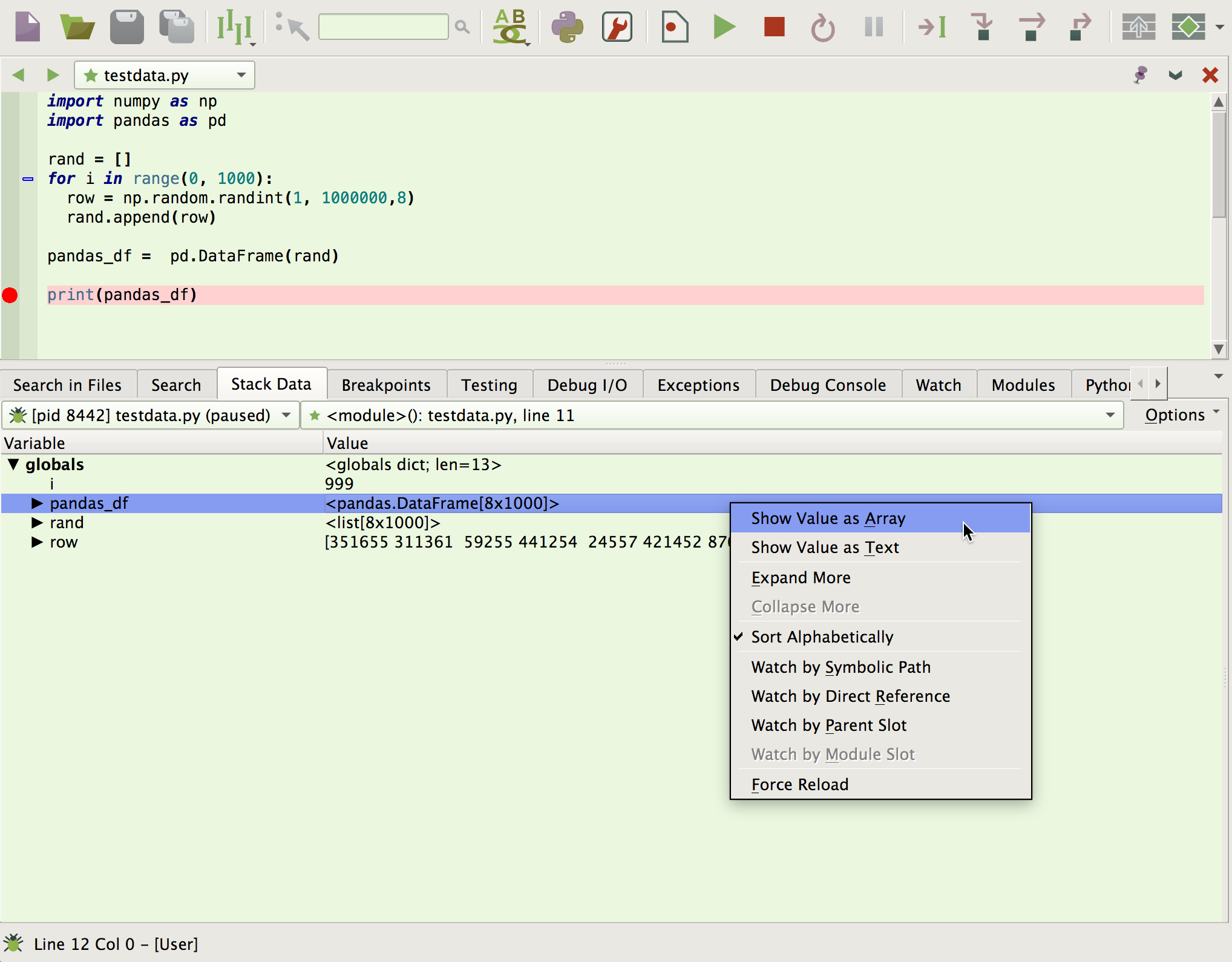
To use the array viewer, right-click on a value in the Stack Data tool in Wing Pro and select Show Value as Array:
This reveals the array viewer and displays the selected item from the Stack Data tree, in this case the global variable pandas_df:
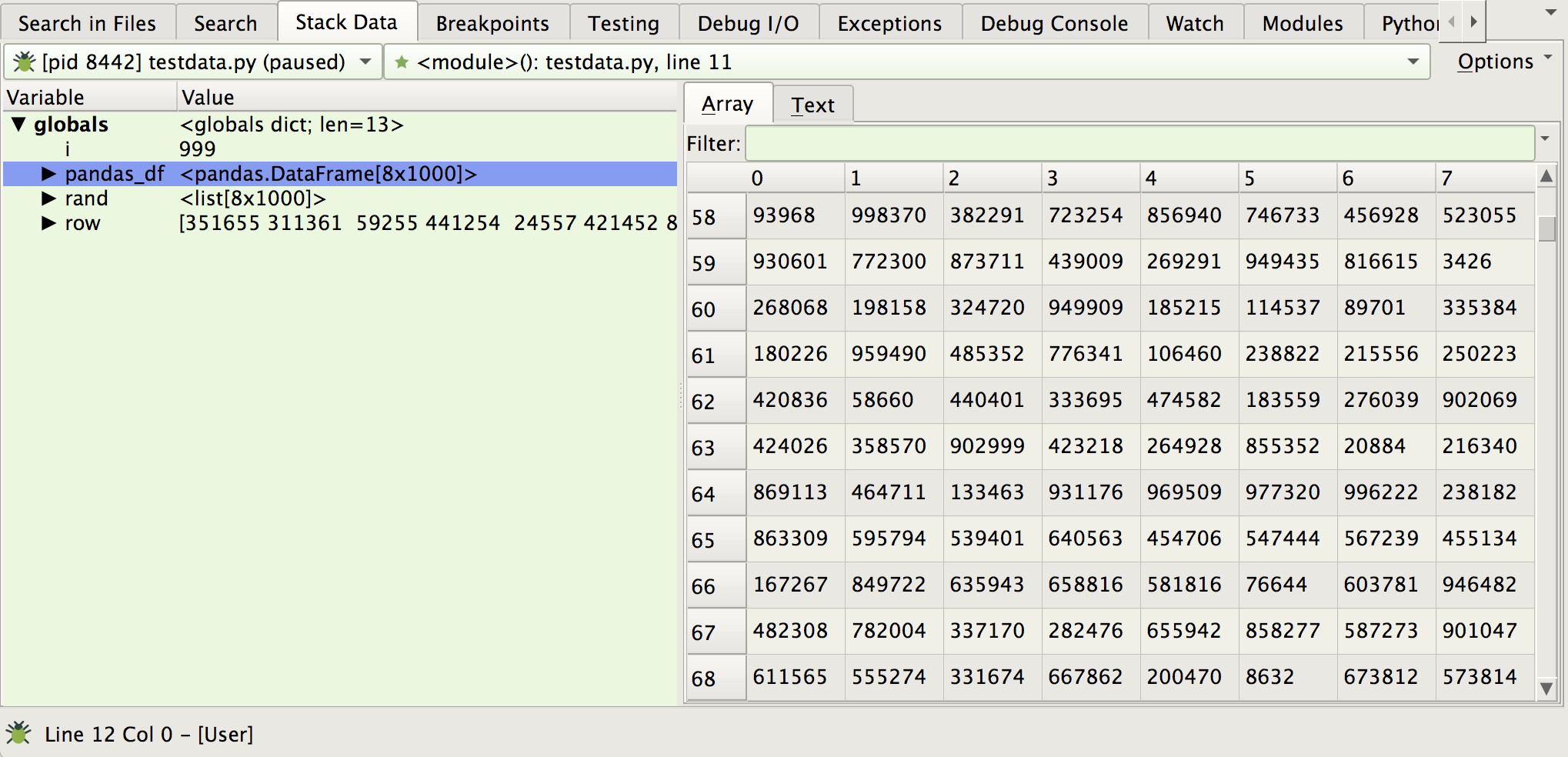
Wing fetches data for display as you move the scroll bars. The Filter can be used to display only matching rows:

The drop down next to the Filter field may be used to select plain text, wildcard, or regular expression searching, to control whether searches are case sensitive, and to select whether to search on all columns or only the visible columns.
If more space is needed to view data, the Stack Data tool's tab can be dragged out of the window, to create a separate window for it.
That's it for now! We'll be back soon with more Wing Tips for Wing Python IDE.
from Planet Python
via read more


No comments:
Post a Comment